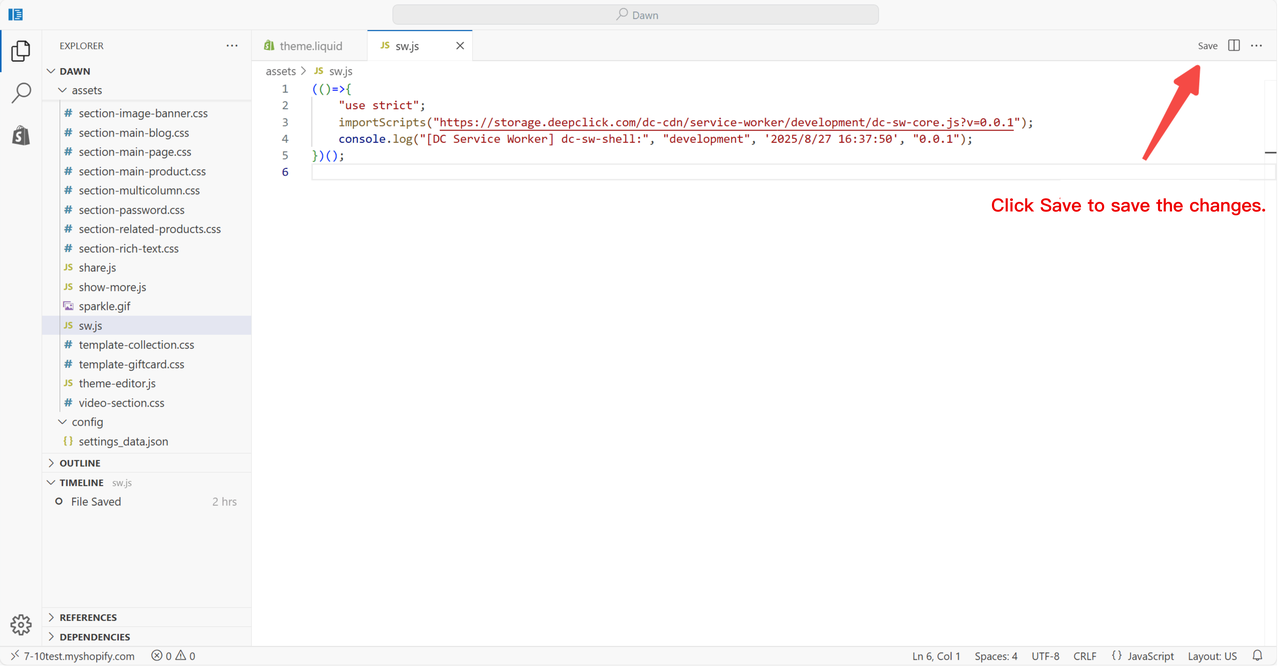
How to Upload SW File in Shopline
This article explains how to upload a Service Worker (SW) file in your Shopline store.
Step 1: Download the SW file
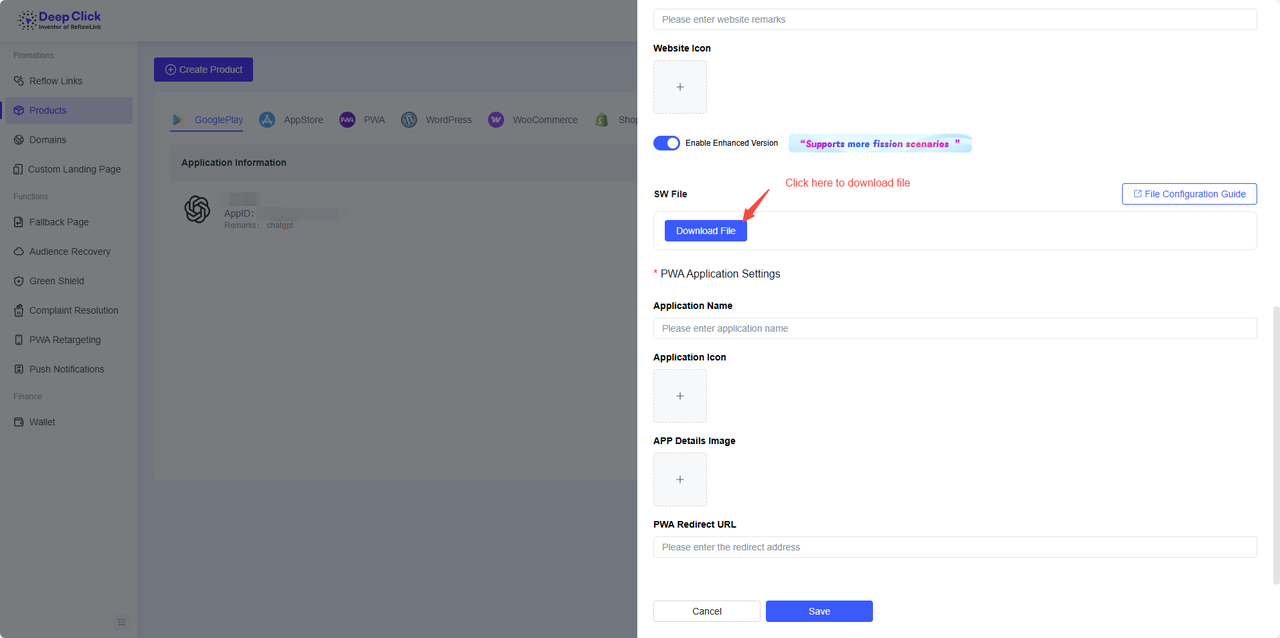
Step 2: Open the SW file with a text editor and copy the content

Step 3: Go to Shopline and edit code

Step 4: Check the store version

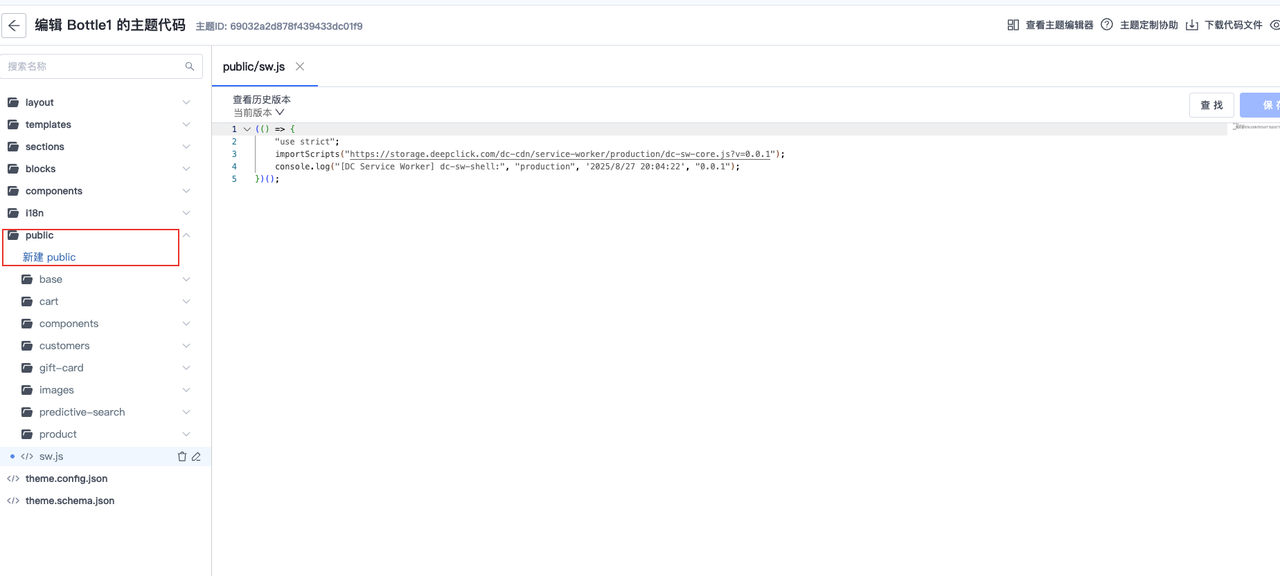
OS 3.0: Create a new sw.js file in the public directory
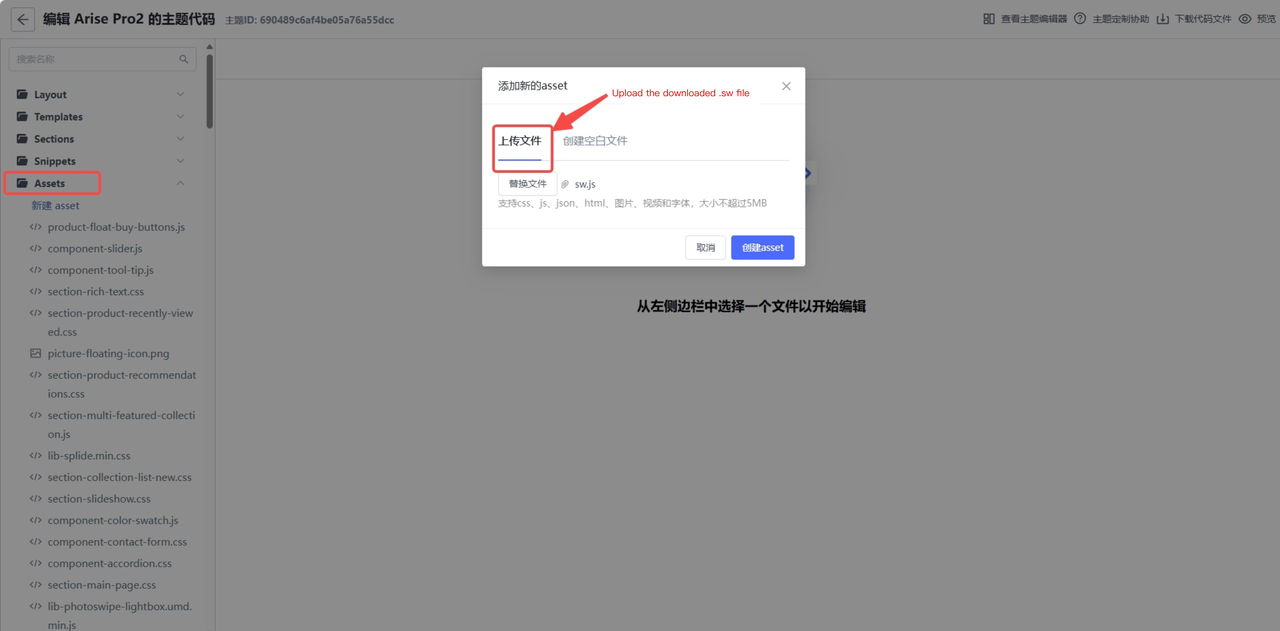
OS 2.1: Create a new sw.js file in the assets directory
Step 5: Click Save